Lymiflow

A gentle drainage massage for heavy, tired legs, guided stroke by stroke.

Lymiflow shows each move, times it and tells you where your hands go next, at a pace you set. Ten minutes in a chair at home. It supports lymphatic drainage and can help your legs feel lighter.

Download on the App Store

For iPhone. Free to download.

  • A firm chair
  • Your iPhone, propped up
  • 5, 10 or 15 minutes
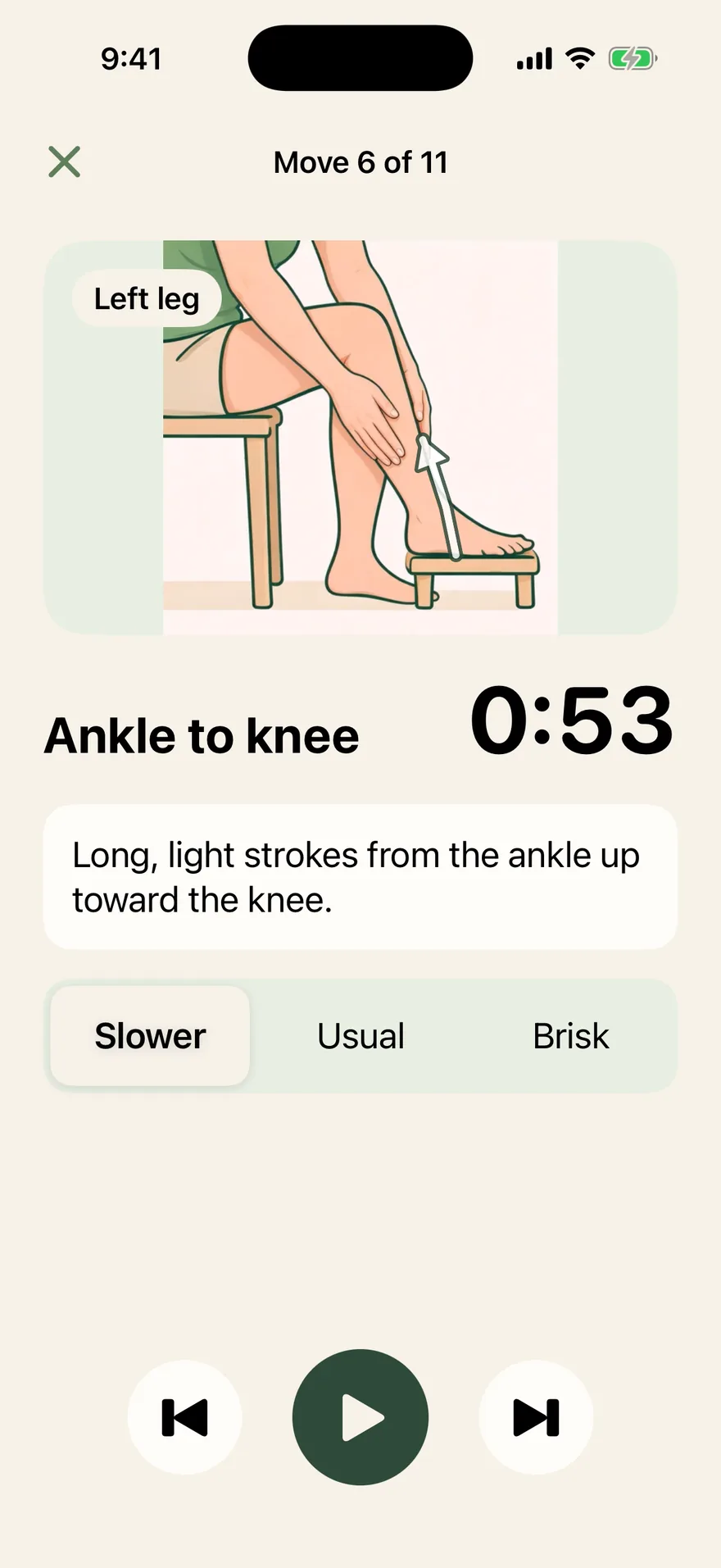
A Lymiflow session screen: Ankle to knee on the left leg, a video of the stroke with an arrow pointing up the leg, a 53-second timer, and the pace set to Slower.
Ankle to knee, left leg. Slower, Usual or Brisk is always one tap away.

Here is what using Lymiflow looks like.

Real screens from the app. No library to scroll through and no plan to work out yourself.

Open it, and today’s session is ready.

Setup asks where you feel heavy, how long you have and how many days a week suit you. Lymiflow builds the routine from your answers: legs first, plus arms, belly or neck if you pick them.

Each morning, tap how puffy things feel, then Start session.
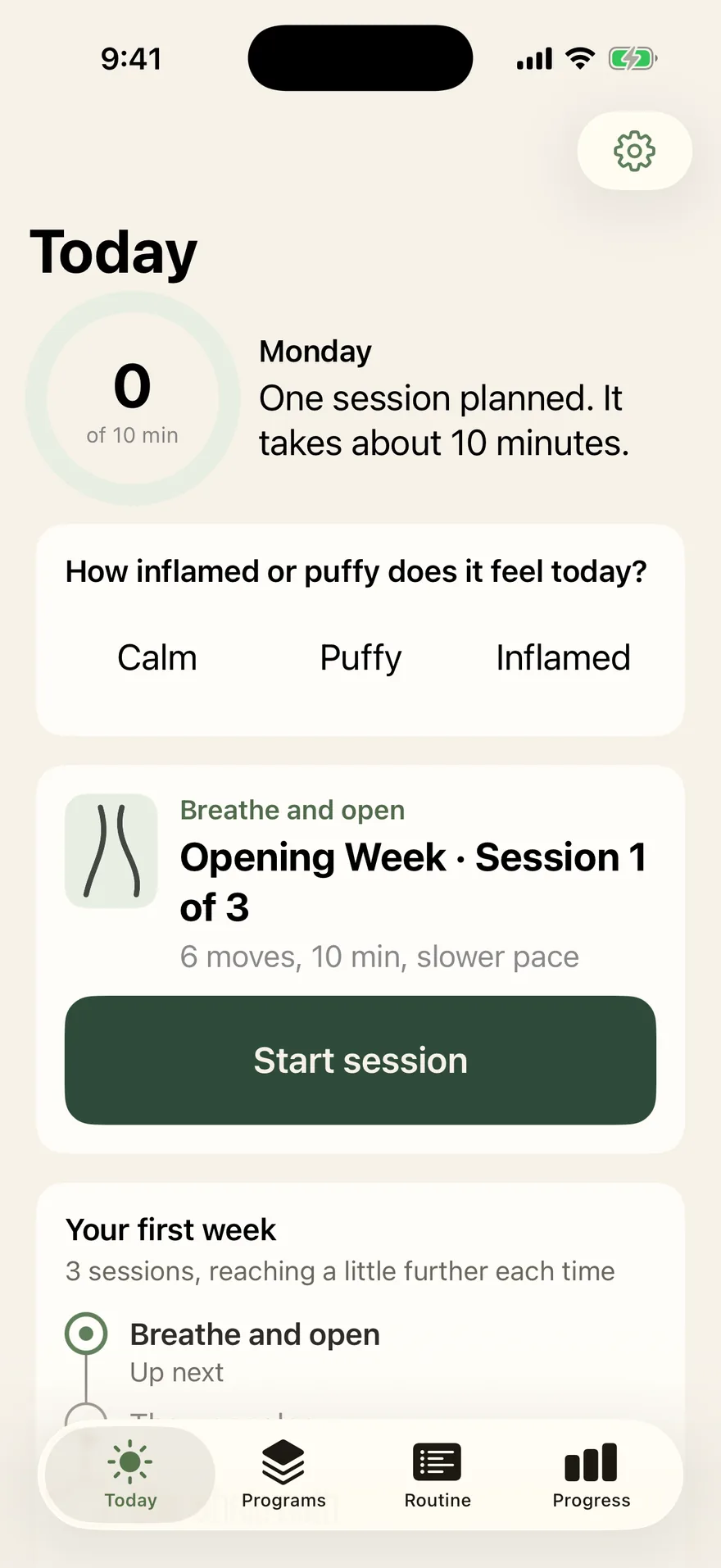
The Today screen: a check-in asking how puffy it feels today, then the Opening Week session card with a Start session button.
Today: one check-in, one button.

Your first week reaches a little further each session.

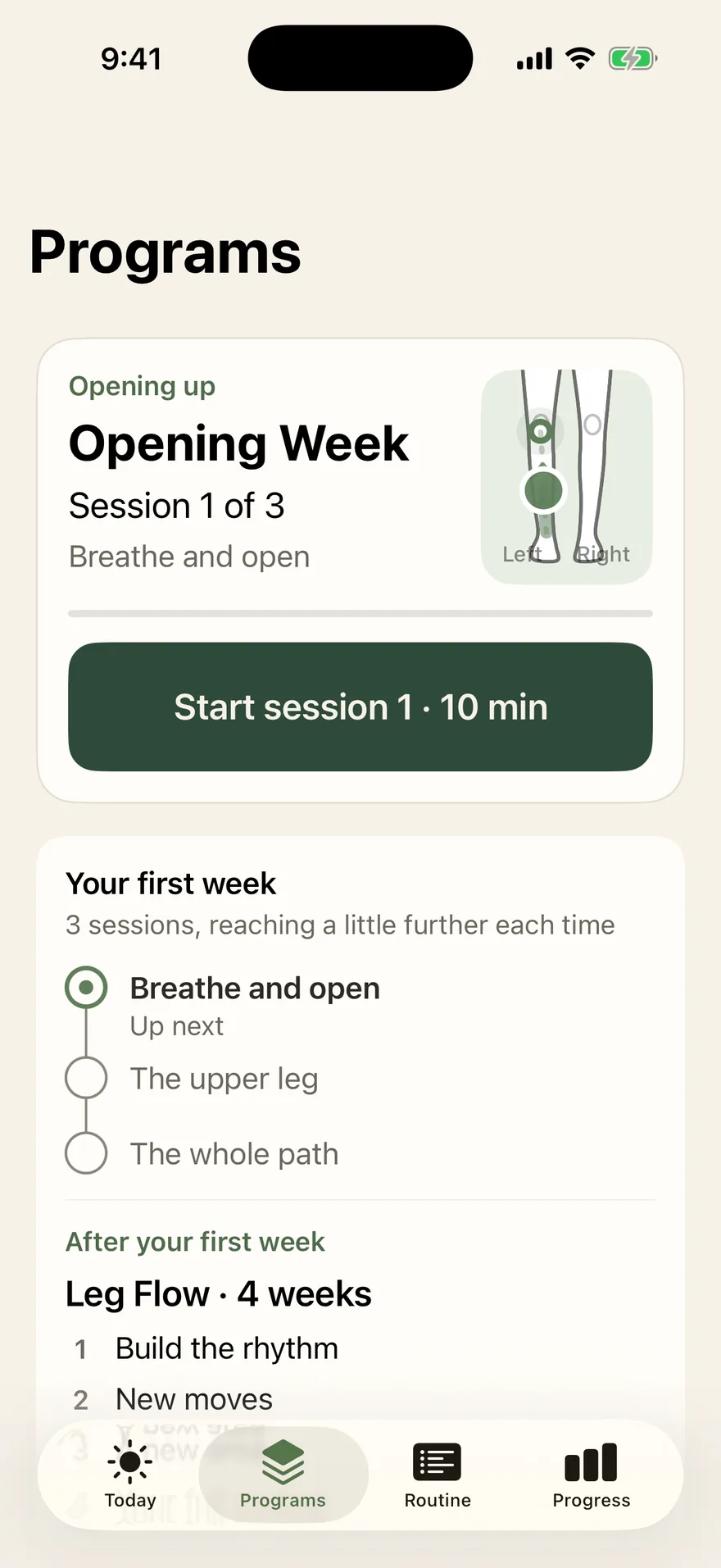
Opening Week starts with breathing and the upper leg, then works the whole path from ankle to hip. After it, choose a four-week program: Leg Flow, Arm Flow, Head to Toe, or Neck and Belly. Later weeks bring in new moves.

Miss a day and the program waits for you. It moves on when you finish a session, not when the calendar does.

The Programs screen: Opening Week, session 1 of 3, with its three steps listed and Leg Flow, a four-week program, after it.
Programs: Opening Week, then Leg Flow.

See the weeks you showed up.

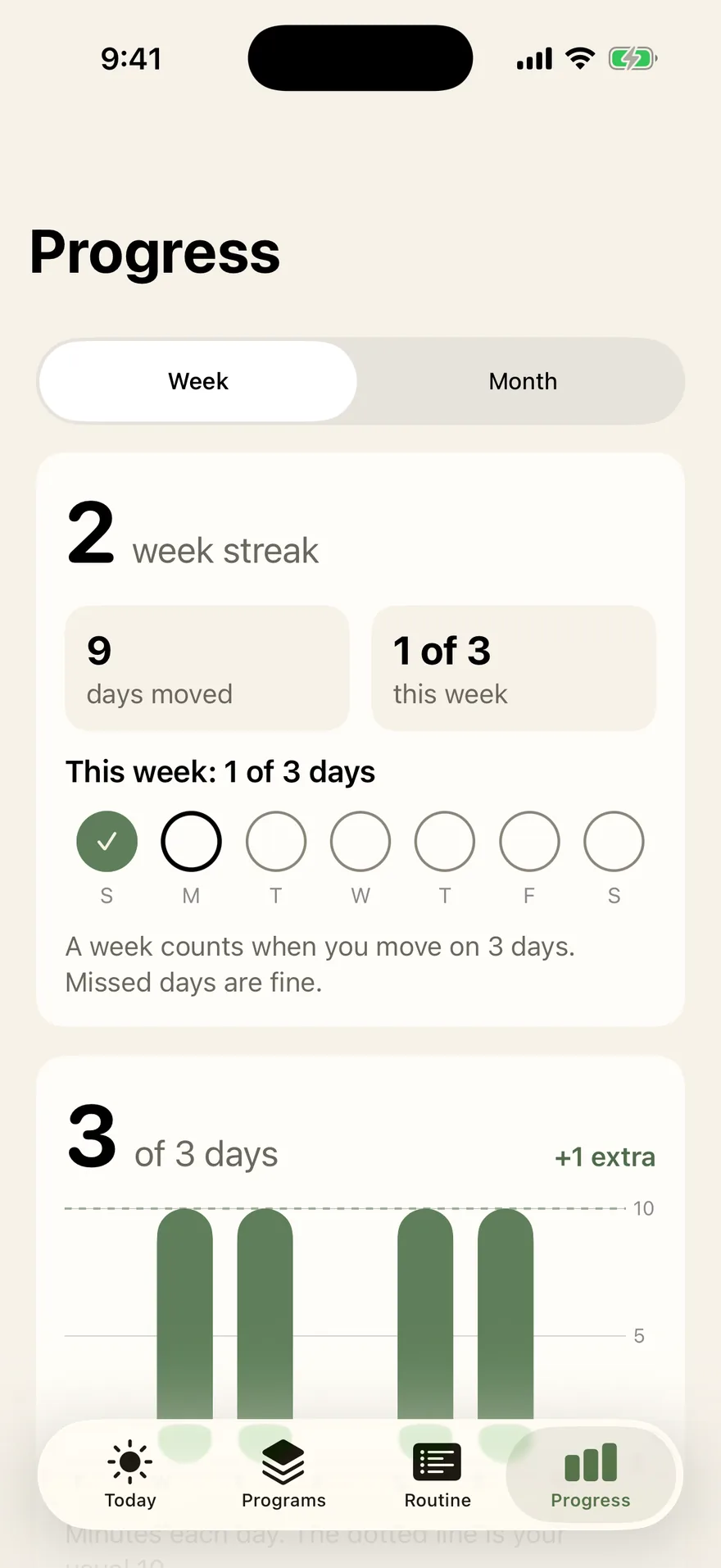
Progress counts the days you moved, the weeks you met your goal, and how you said you felt before and after each session.

Missed days stay grey, never red. A missed week starts fresh.

The Progress screen: a two-week streak, nine days moved, this week's days as circles, and a bar chart of minutes per day.
Progress: 9 days moved, a 2-week streak.

Free to download. One subscription.

  • Guided sessions and programs come with Lymiflow Plus.
  • Pay yearly, starting with a 7-day free trial, or pay monthly.
  • The price is on screen before you start. No add-ons.
  • Cancel any time in your iPhone’s Settings.

Fair questions.

Is this a medical app?
No. Lymiflow is a self-massage and wellness routine, like a stretching app.
What do I need?
A firm chair, your iPhone propped up in front of you, and 5, 10 or 15 minutes. If you wear compression garments, the routine ends with a step for them.
Is it gentle?
Yes. Light strokes, a slower pace whenever you want it, and one rule in every session: stop if anything hurts.
Where does my data go?
Your answers, check-ins and sessions stay on your iPhone. There is no account and no ads. Privacy policy.
Need help?
Write to [email protected]. A person answers.
The Lymiflow app icon: a green leaf on cream.

Try your first session tomorrow morning.

Download on the App Store

For iPhone. Free to download.